01
Reduce Client Emails
Give clients a dedicated place to access information and take action, reducing the need for constant email follow-ups.
CLIENT COMMUNICATION
↗

Client Portal for Agencies
Working with clients becomes harder when everything is spread across email, chat apps, shared drives, and different project tools. Your team may know where everything is, but your clients often don't.
Piingless is a Client Portal for Agencies that gives your clients one simple place to access project information, share requirements, communicate with your team, review work, and approve deliverables.
Instead of sending clients from one tool to another, give them a professional Agency Client Portal that keeps their work organized and easy to access.
One client. One portal. One better way to work together.
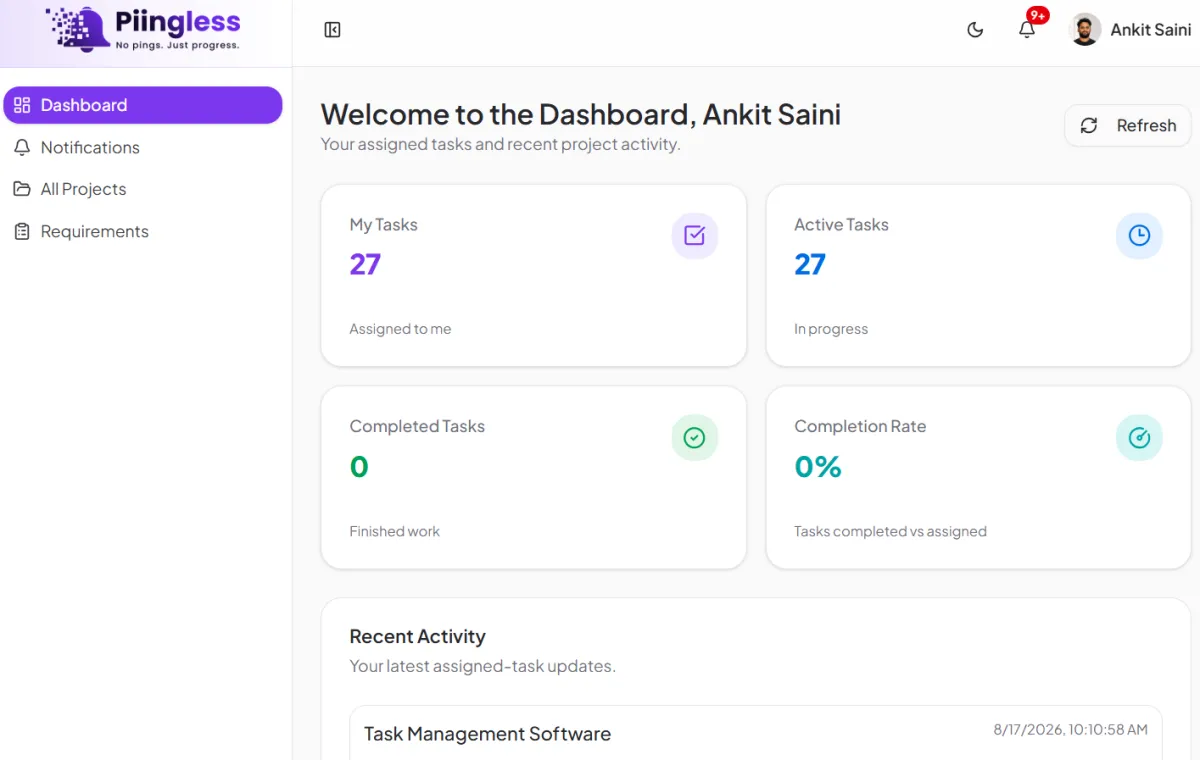
A Client Portal for Agencies is a secure, client-facing space where agencies and their clients can work together throughout the project.
Instead of managing client communication through long email threads and random links, your agency can give each client a dedicated place to find important information and take action when needed.
With Piingless, clients can stay connected to their projects while your team continues managing the internal work from its own workspace.
The result is a cleaner workflow for your team and a much better experience for your clients.
Your clients should not have to ask your team for every update, file, requirement, or approval.
Piingless gives each client a dedicated space where relevant project information can be organized and accessed when needed.
A client can see the information that matters to them without having to understand how your agency manages work behind the scenes.
This makes your Agency Client Portal useful from the beginning of the relationship all the way through project completion.

Give clients a clear place to stay updated on their projects.
Instead of searching through emails or asking your account manager for the latest information, clients can access the relevant project details through their Client Project Portal.
This makes communication easier and reduces unnecessary back-and-forth.
Projects often get delayed because your team is waiting for something from the client.
It could be a logo, document, login, content file, brand guideline, product information, or project instructions.
With Piingless, your agency can organize client requirements through the Client Portal Software so clients know exactly what information your team needs.
This gives your team a better starting point and helps clients understand what they need to provide.
Client projects can involve dozens of files and documents.
Instead of sending files through different channels and trying to remember where everything was shared, keep relevant project files connected to the client and project.
Your Client Project Portal gives clients a clear place to access the information and files related to their work.
Email is useful, but it can quickly become difficult to manage when every project has a long chain of messages.
Piingless helps bring project-related communication closer to the work.
Clients can communicate with your team around their projects while your team keeps the relevant context in one place.
This makes the Agency Client Portal more than a place to view information. It becomes part of the actual working relationship between your agency and your clients.
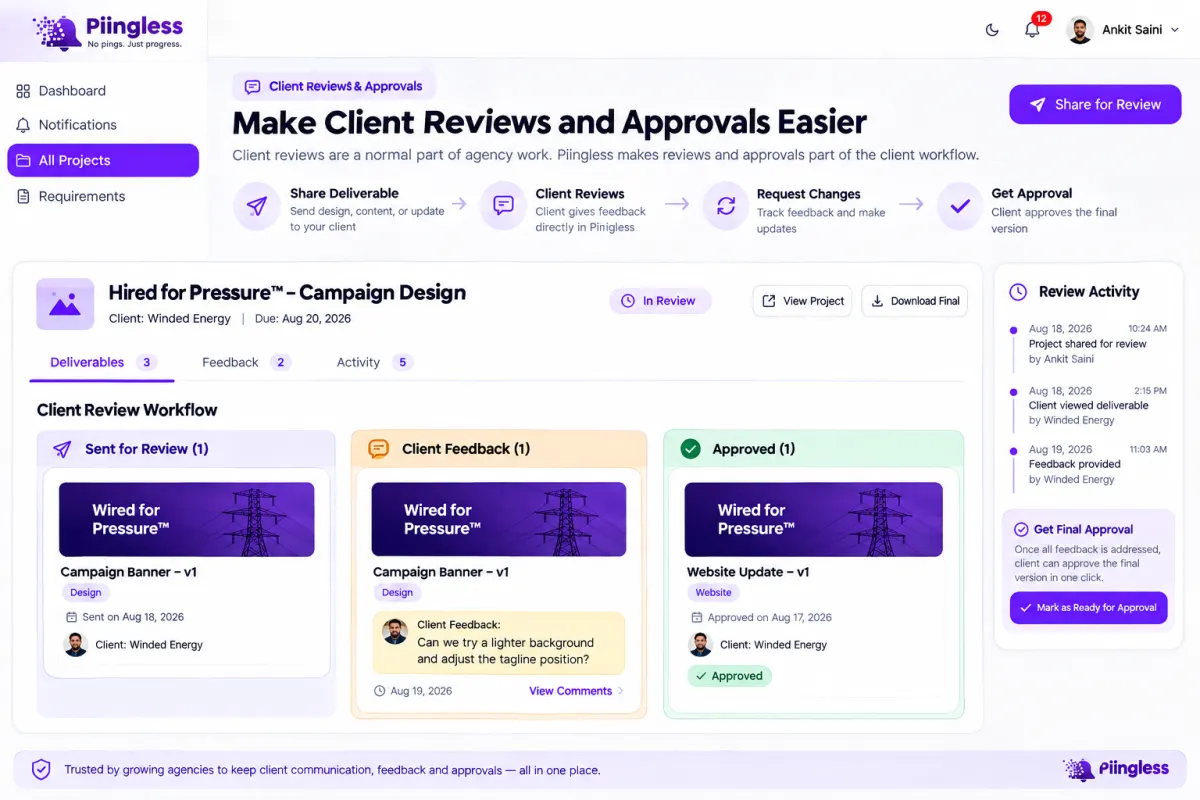
Client reviews are a normal part of agency work.
You send a design, landing page, report, video, website update, or other deliverable. The client reviews it, sends feedback, requests changes, and eventually approves the final version.
The problem starts when all of this happens through different emails and messages.
Piingless makes reviews and approvals part of the client workflow.
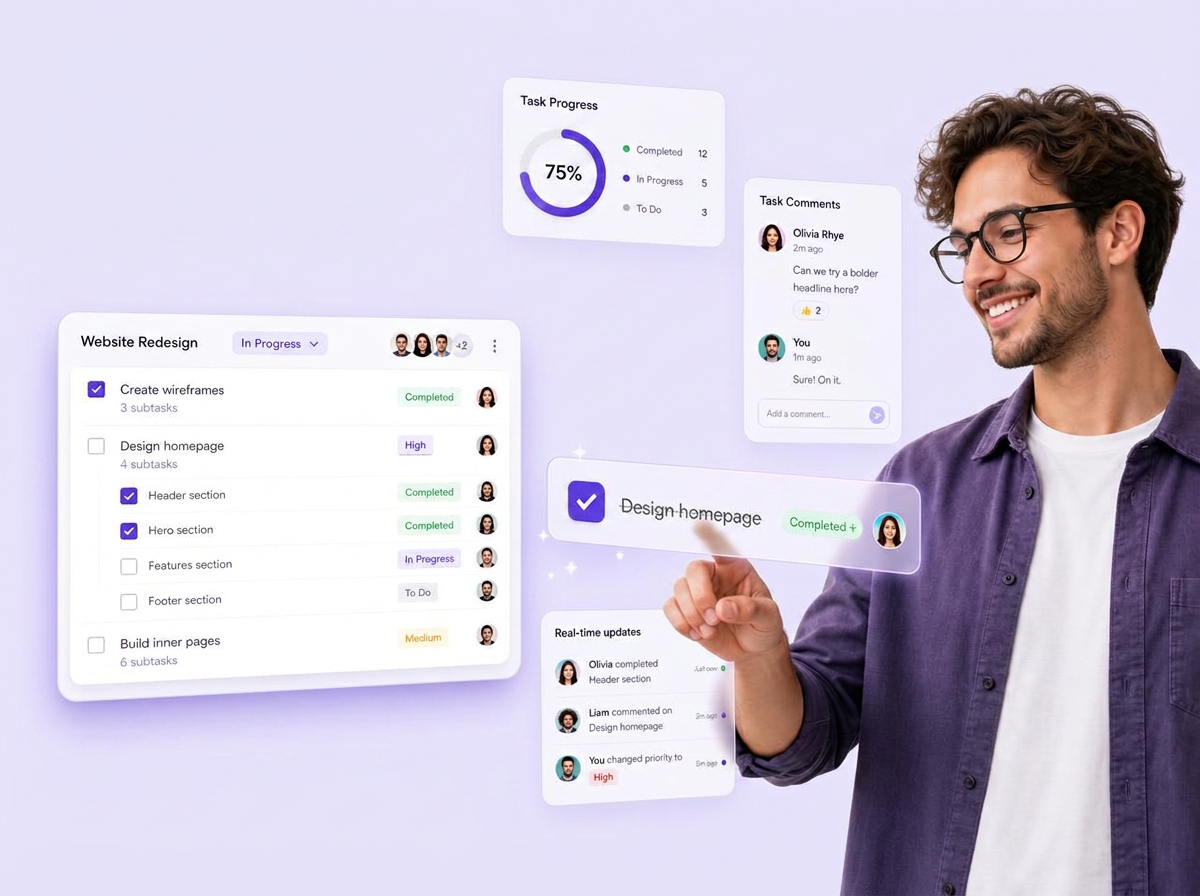
Your client experience does not start and end with the work you deliver.
It also includes how easy it is for clients to communicate with you, share information, follow projects, review work, and get answers.
When clients receive different links for different parts of a project, the experience can feel disorganized even when your team is doing great work.
A professional Client Portal for Agencies gives clients one clear destination.
They know where to go.
They know where to find their project information.
They know where to provide requirements.
And they know where to review and approve work.
That makes working with your agency easier.
Your clients need visibility into their projects, but they don't need access to everything your team is doing.
Your agency may have internal tasks, team conversations, planning, notes, and other information that should remain private.
Piingless separates the client experience from your internal workflow.
Your team can manage the project internally while the client gets access to the information and actions relevant to them.
This gives you the benefits of a Client Project Portal without exposing your entire agency workspace.
A good Client Portal for Agencies should fit naturally into the way your team already works.

Create the client profile and establish their account.

Connect the client with the relevant project and delivery workflow.

Create the tasks and assign to your team members.

Your internal team manages tasks, responsibilities, deadlines, and delivery.

Keep clients informed and give them access to the relevant project information and work.

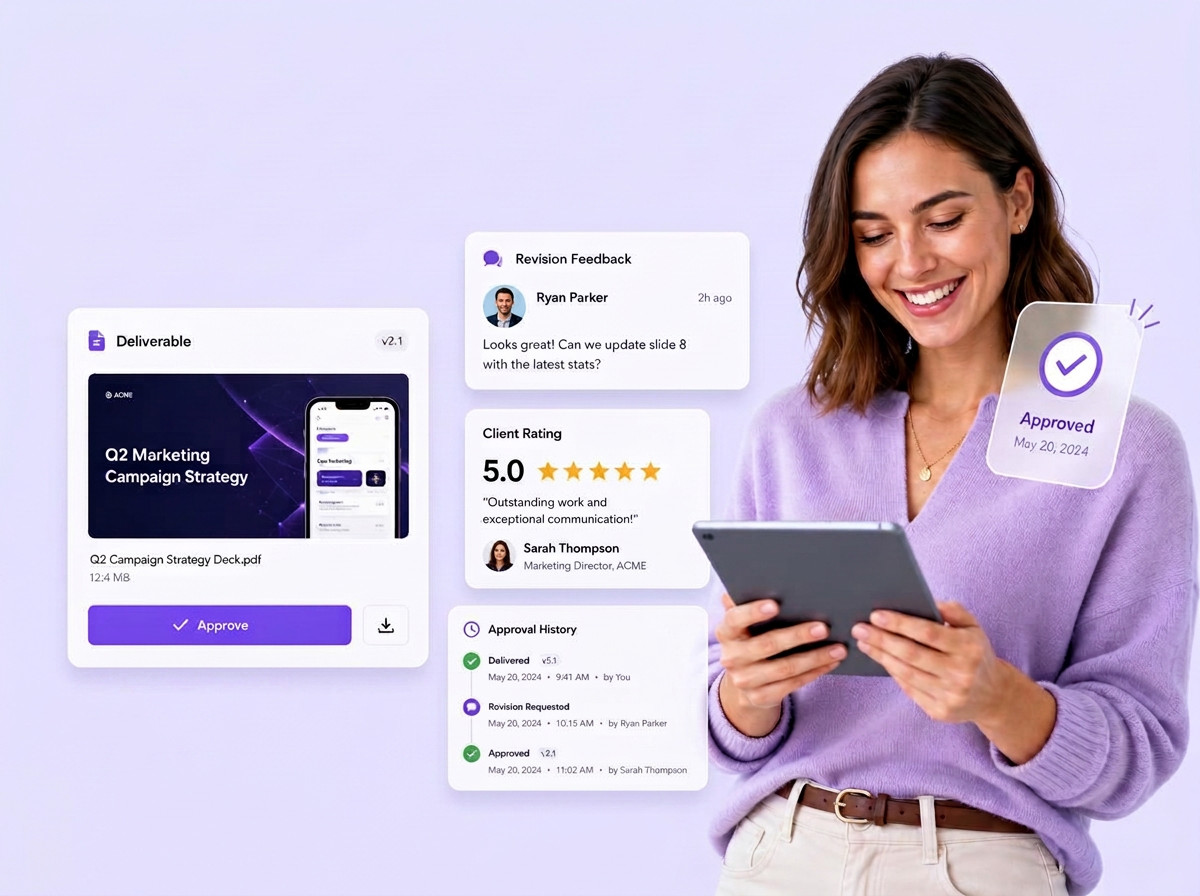
Let clients review the work and provide feedback through the project workflow.

Your team can handle the requested changes and continue working toward the final version.

Once the client is satisfied, collect approval and move the project toward completion.
The entire process stays connected instead of being spread across multiple tools.
Give clients a dedicated place to access information and take action, reducing the need for constant email follow-ups.
Clients can find relevant project information without asking your team for every update.
Keep project-related communication closer to the work so both the client and your team have better context.
Make it clear what information your team needs and what the client still needs to provide.
Give clients a clear way to review work, provide feedback, and approve deliverables.
A dedicated Agency Client Portal can make your agency feel more organized and professional from the client's point of view.
Give Your Clients One Simple Place to Work With Your Agency
Agency management software helps agencies manage clients, projects, communication, tasks, approvals, billing, and operations from one platform.
Piingless is designed for digital marketing agencies, SEO agencies, web development companies, creative agencies, consultants, freelancers, and other service-based businesses.
Yes. Clients can access their own portal to monitor progress, review work, approve projects, and communicate with your team.
Yes. AI helps generate tasks, improve project requirements, and streamline agency workflows.
Yes. Piingless integrates with GoHighLevel, giving agencies a complete CRM and operations solution.

Manage projects, collaborate with clients, and keep your team productive with one simple, all-in-one workspace.


© 2026 Piingless. All rights reserved.