
Task Management Software
Keep Your Team's Work
Organized From Start to Finish
When you manage multiple projects, keeping track of every task can get difficult. Some tasks need to be done today, some take several days, and some need to go through testing, client review, or approval before they are finished.
Piingless is Task Management Software that helps your team create, assign, organize, and track tasks in one place. You can also break large tasks into smaller subtasks, create recurring tasks, and see exactly where each task stands.
Create tasks. Break them down. Track the work. Get it done.
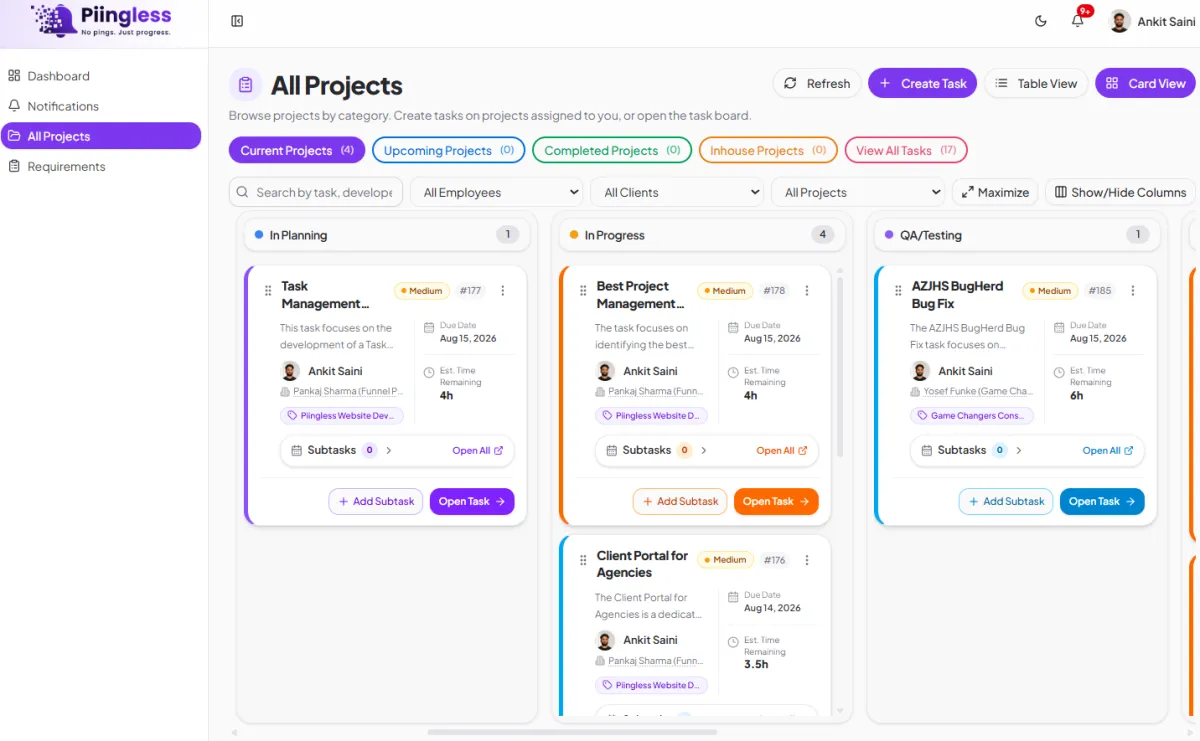
Adaptable Workflow
Task Management That Fits the Way Your Team Works
Not every task is as simple as creating it and marking it complete.
A task may need planning first. It may go through QA testing, be sent to a client, come back with changes, and then need final approval before it can be completed.
Piingless gives your team a clear way to manage each step. You can assign tasks, add deadlines, create subtasks, set recurring schedules, and move tasks through different stages as the work moves forward.
This makes Task Management Software useful for everyday work as well as larger client projects.

Create and Assign Tasks Easily
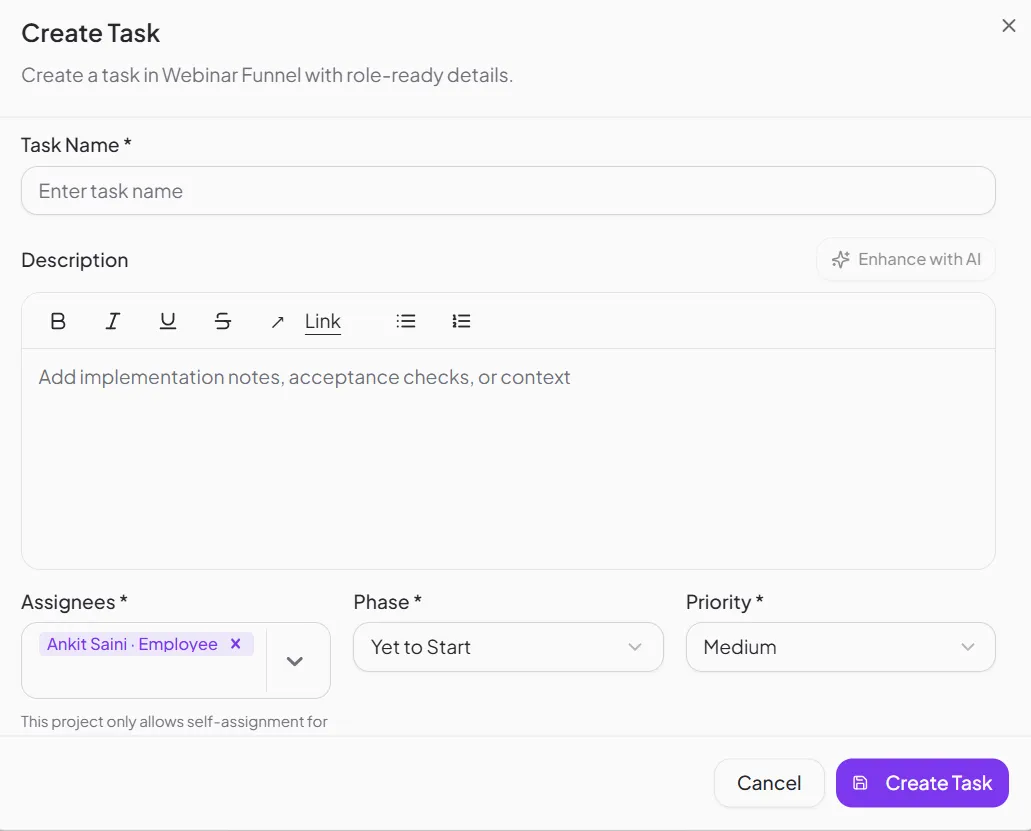
Create a task, add the details, and assign it to the person responsible for getting it done.
You can add instructions, deadlines, files, and other information so your team knows exactly what needs to be done. Everyone can see their assigned work without searching through messages or notes.
With Piingless, task assignment becomes part of your normal workflow. Managers can see who is handling each task, while team members know what they are responsible for.
Keep Tasks Connected to Projects
A task usually belongs to a bigger piece of work.
For example, "Write Homepage Content" may be one task inside a website project. "Create Monthly SEO Report" may be part of an ongoing SEO campaign.
Piingless keeps tasks connected to their projects, so your team can understand the work behind every task. This makes task organization much easier when you are managing several clients or projects at once.
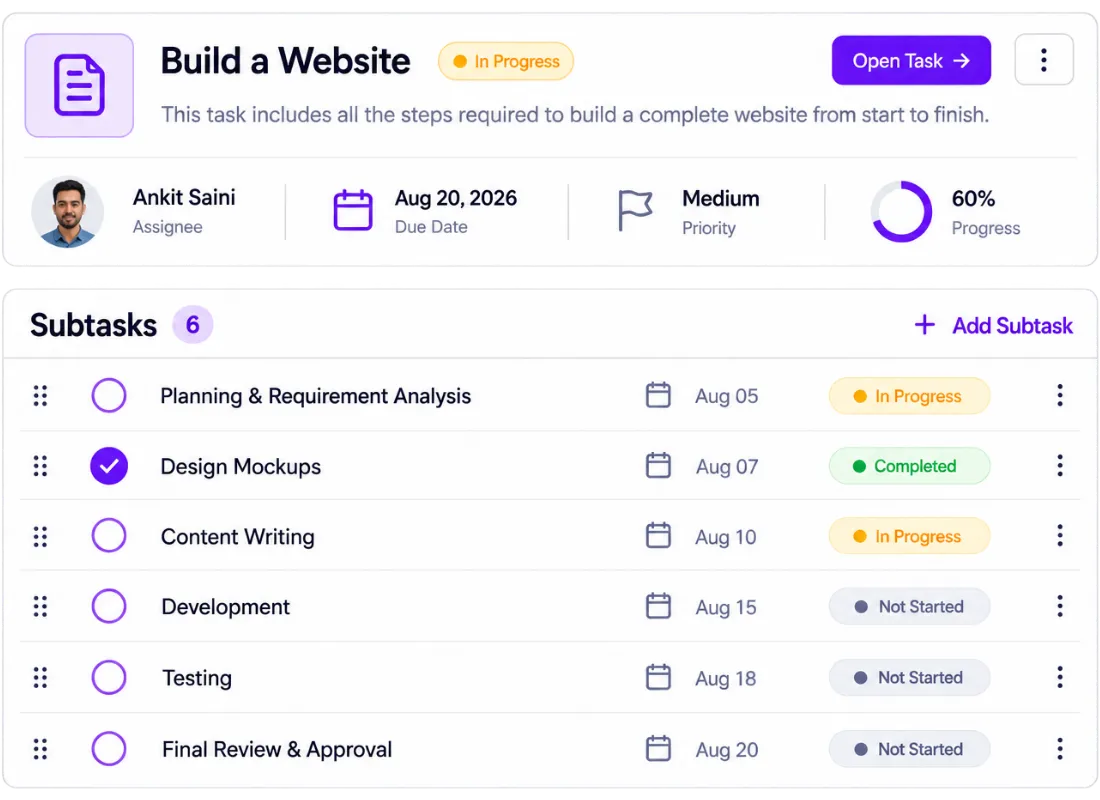
Break Big Tasks Into Smaller Subtasks
Some tasks are too big to handle as one item.
For example, "Build a Website" can involve design, content, development, testing, revisions, and final approval. Keeping all of that under one task makes it hard to see what has actually been completed.
Piingless lets you create subtasks under a main task. You can break larger work into smaller steps and mark each one complete as your team finishes it.
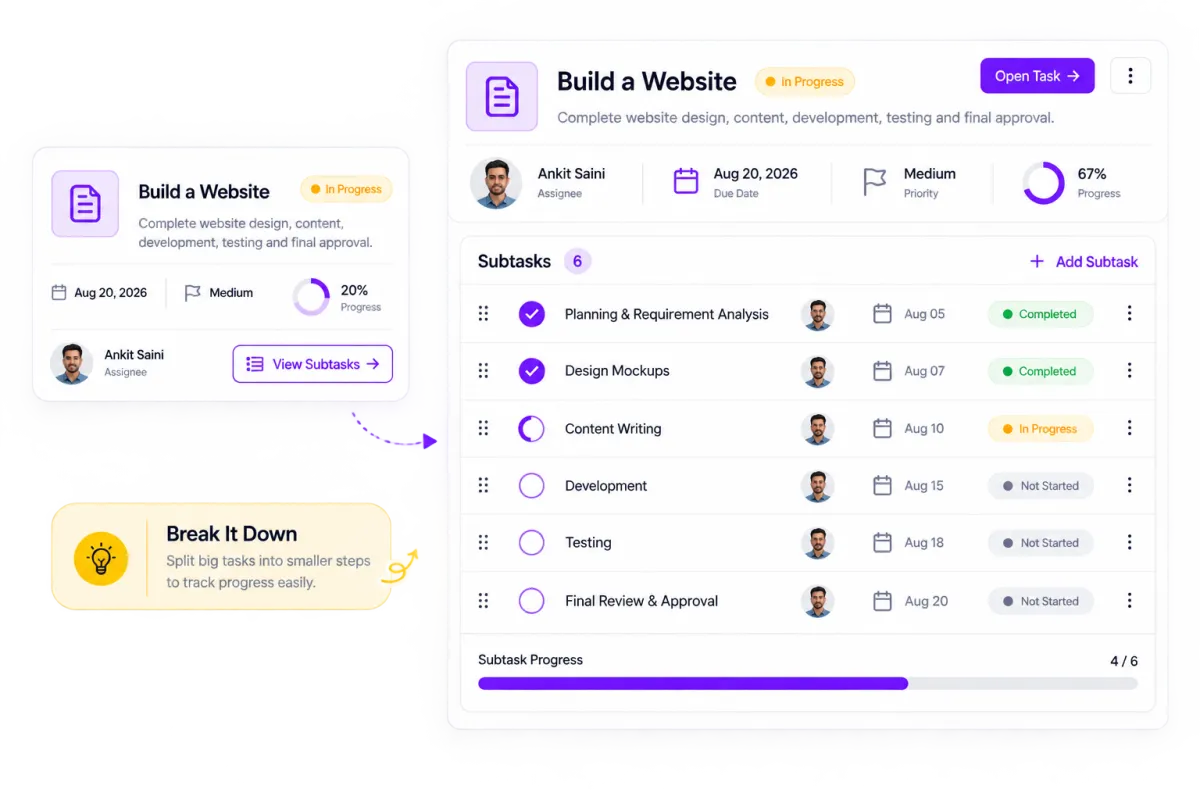
Make Large Tasks Easier to Manage
If a task will take a few days, you don't have to leave it sitting as "In Progress" until everything is finished.
Break it into smaller parts and track each step separately. This gives your team a better idea of what is done, what is still being worked on, and what needs attention next.
This simple approach makes task tracking much easier and gives managers a clearer view of project progress.
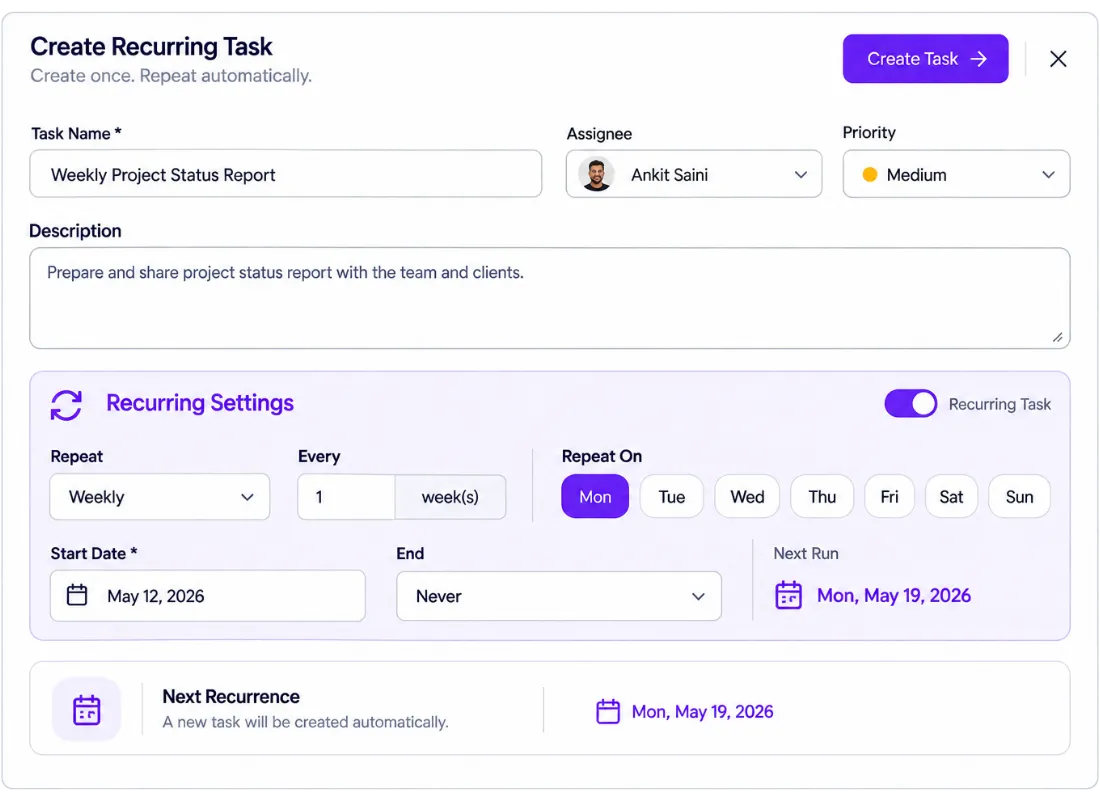
Recurring Task Management That Saves Time
Many teams have tasks that need to happen again and again.
Weekly reports. Monthly client updates. Daily checks. SEO work. Campaign reviews. Content publishing. These tasks are important, but creating the same task manually every time is a waste of time.
Piingless includes recurring task management, so you can create a task once and choose how often it should repeat.
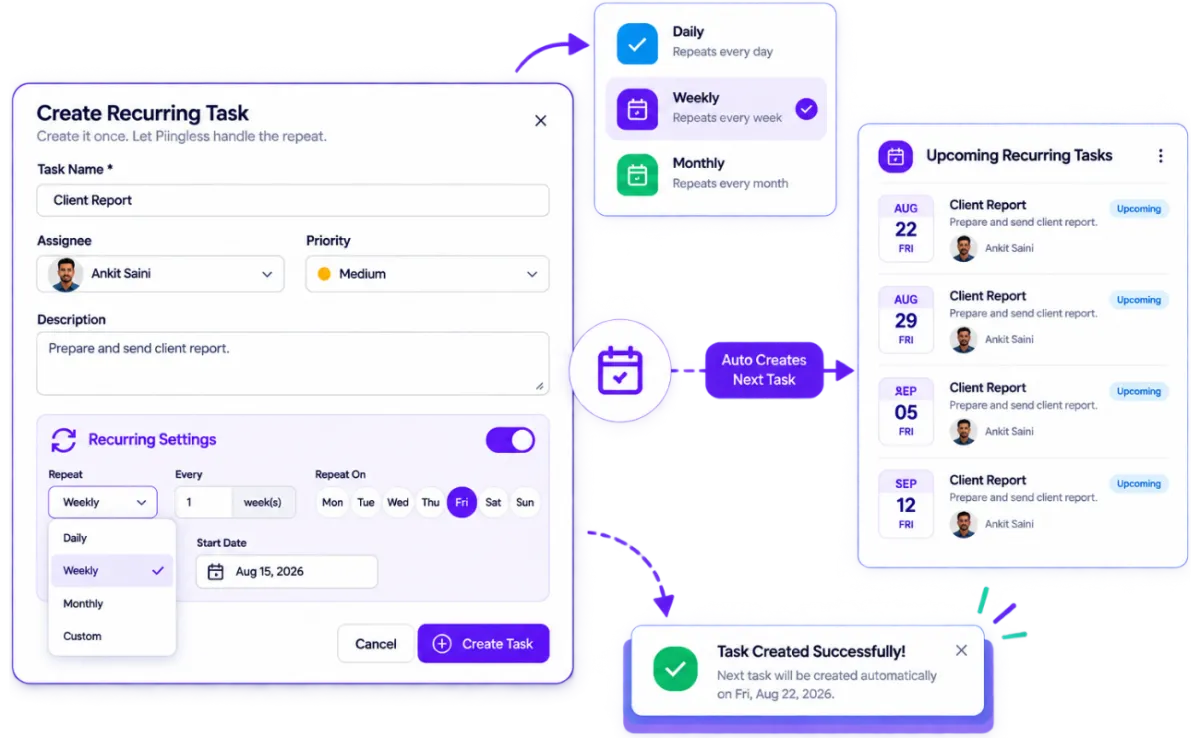
Create Daily, Weekly, or Monthly Tasks
When you create a recurring task, you can choose a schedule such as daily, weekly, or monthly.
Once the schedule is set, Piingless automatically creates the next task for you. Your team doesn't have to remember to create the same task again every Monday or at the start of every month.
For example, if you send a client report every Friday, create the task once and set it to repeat weekly. The next task will be created automatically based on your schedule.
Create it once. Let Piingless handle the repeat.
Track Every Task Through Its Actual Status
A task is not always simply "To Do" or "Done."
When you work with clients, a task can move through several stages before it is completed. Piingless gives you task stages that make it easy to understand exactly where the work stands.
Your team can move a task through stages such as:
Yet to Start
↓
→
In Planning
↓
→
In Progress
↓
→
QA Testing
↓
→
Pending Approval
↓
→
Forwarded to Client
↓
→
Sent Back From Client
↓
→
Client Update
↓
→
Completion Pending
↓
→
Completed

QA Testing
If a task is in QA Testing, your team knows it is being checked.

Forwarded to Client
If it is Forwarded to Client, you know the client is reviewing it.

Sent Back From Client
If it is Sent Back From Client, you know changes are needed.
If it is Pending Approval, the work may be ready but is waiting for the next approval.
These clear task stages give your team a better view of the work than a simple completed or not-completed status.
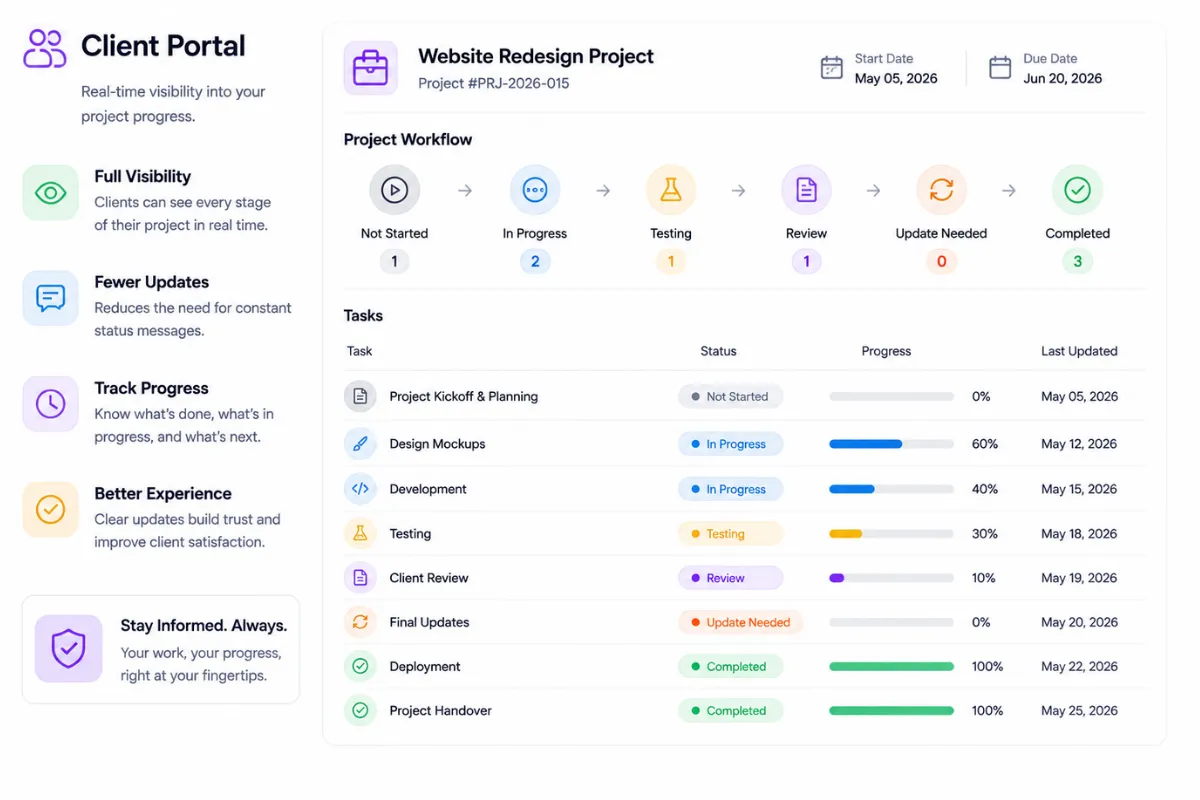
Give Clients Better Visibility Into Their Work
When you manage client projects, clients naturally want to know what is happening.
Instead of sending messages every time they want an update, clients can follow the relevant work through the client-facing project workflow.
They can see whether work has started, is in progress, is being tested, has been sent for review, needs an update, or has been completed.
This makes task progress tracking easier for everyone and can reduce the number of simple status questions your team has to answer.
Step by Step
A Simple Task Management Workflow
Piingless keeps the task workflow simple, so your team always knows what comes next.

Create the Task
Add the work that needs to be done and assign it to the right person.

Break It Down
If the task is large, create smaller subtasks so the work is easier to manage.

Plan the Work
Add deadlines, instructions, files, and other information your team needs.

Work on the Task
Move the task to In Progress while your team works on it.

Check the Work
Move it to QA Testing when it needs an internal review.

Send It to the Client
Once the work is ready, move it to Forwarded to Client for review.

Handle Client Changes
If the client asks for changes, move the task to Sent Back From Client and update the work.

Complete the Task
Once everything is finished and approved, mark the task Completed.
This gives your team a simple task workflow that can be used across different projects and clients.
Manage the Work Behind Your GHL Clients
Manage Your Tasks Without the Extra Work
A good Task Management Tool should make your team's work easier, not give them another complicated system to manage.
Piingless gives you everything you need to create tasks, assign work, break tasks into subtasks, automate recurring tasks, track progress, and manage different stages of client work.
You can handle a simple daily task or break a large project into smaller steps that your team can complete one at a time.

Manage projects, collaborate with clients, and keep your team productive with one simple, all-in-one workspace.
Product
Company
Resources
Legal


© 2026 Piingless. All rights reserved.